Tailscale Enable Auto Updates
Settings needed for Auto Updates
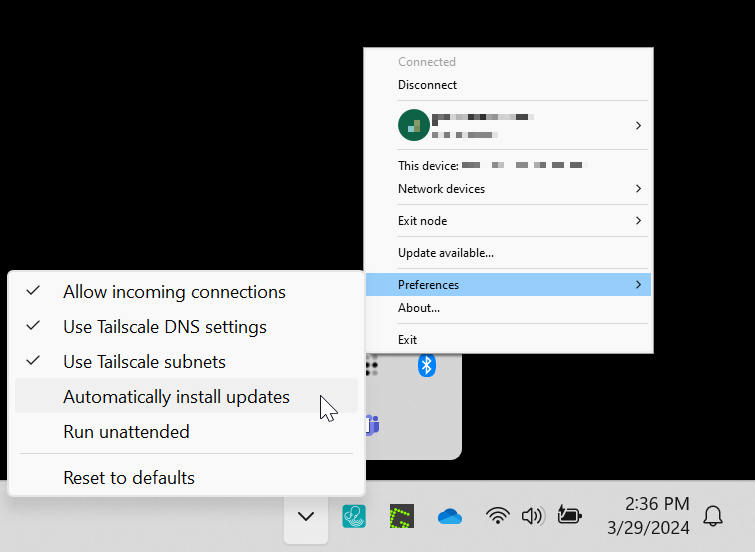
Please find the Tailscale Icon on Windows in the lower tray area near the clock. It may be hidden under the ^ icon. Click on Preferences, then click on Automatically install updates.
Please find the Tailscale Icon on Windows in the lower tray area near the clock. It may be hidden under the ^ icon. Click on Preferences, then click on Automatically install updates.