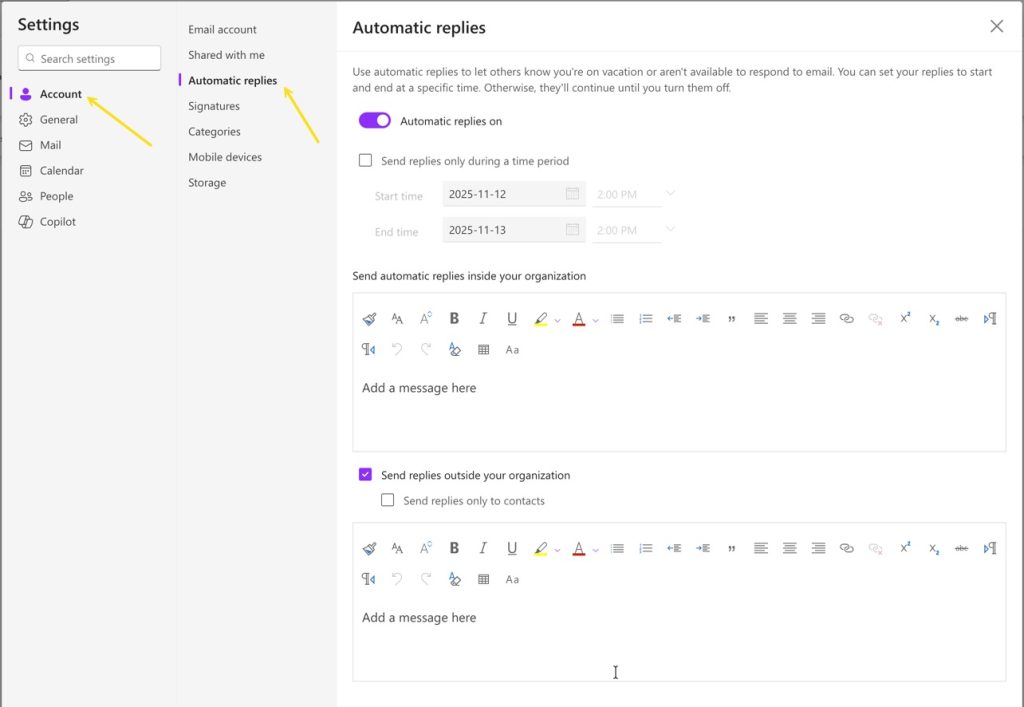
Outlook M365 Out of Office Message
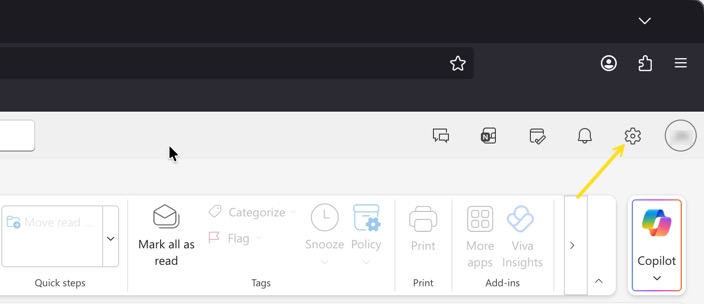
Outlook online has the ability to automatically reply to a message when you are out of the office. This feature is now called Automatic Replies. To enable an automatic reply, login to your email at https://outlook.office.com. Select the Gear in the upper right.
Then make sure you are on Account, then Automatic Replies. Enable the Automatic Replies and fill out the boxes with the text you would like sent back to new emails that arrive in your Inbox. This can be applied to every message for a limited time by selected a time period.