Import ICS calendar to M365
Download your Outlook calendar invite .ICS file
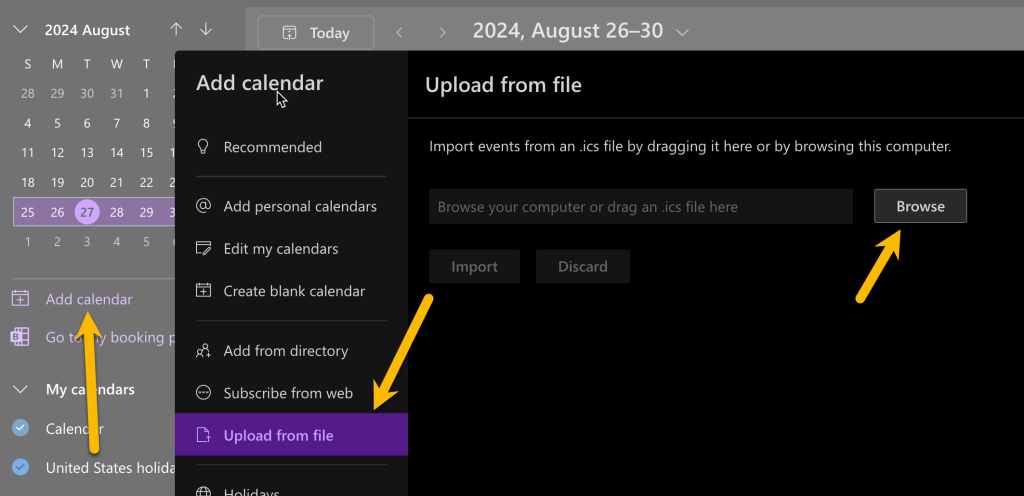
Open the Office.com Calendar
Select Add Calendar from the right side
Select Upload from file
Find the .ics file in your downloads folder
Click Import
The calendar entry should now be on your calendar.