Add Sharepoint files in OneDrive
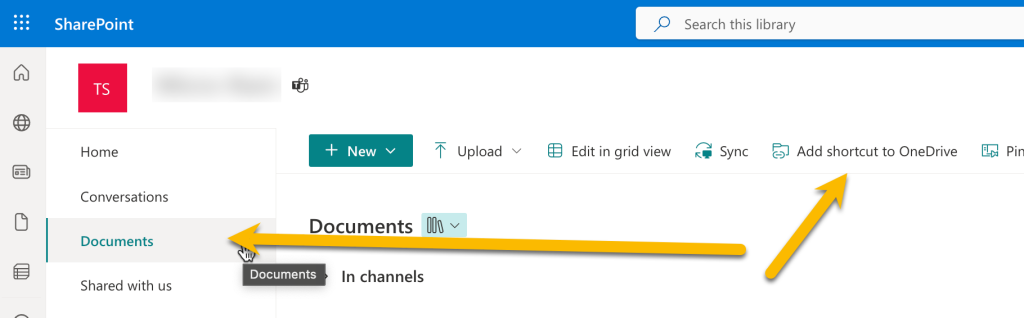
To Integrate your Sharepoint files in your OneDrive both in the Cloud and OneDrive local files. Open the Sharepoint web page. Select Documents / Add shortcut to OneDrive.
Now you will see a folder called “Document – (Sharepoint Name)” in the root of your OneDrive folder. All of the other users with access to this Sharepoint will see anything you place in this folder.